TechCrunch

August 12, 2015

Overclocking your PC can unlock “free” performance, but the cost can be high

If you are unfamiliar, overclocking is the process of setting your CPU multiplier higher so that your processor speeds up, and speeds up everything else on your computer, too. It’s a common way to amplify computer performance for serious users, but it also comes with its share of risks, especially for newbies.
The typical subject for overclocking is your primary processor, but your GPU (if separate) can also be overclocked for a boost to graphics processing. There’s no one rule to how fast you can speed up a processor. Every overclocking project will product different results, and that can make your decision difficult. Is overclocking worth it? Yes – and no.

Overclocking: Do you need it?

Overclocking can be time-consuming and expensive, especially if you have little experience tinkering with your PC. In addition to changing your multiplier, you may also need to mess with voltage settings, fan rotation speeds, and other important, fragile fundamentals. So when you really get down to it, do you need to overclock?
Amped-up processors are often associated with gaming, but here’s a reality check. Speeding up your CPU may not to do much for your gaming experience. It will help particularly demanding programs run faster, but you probably won’t notice the effect on today’s computer games. If your machine is new enough to run the latest titles, its CPU/GPU are likely sufficient already. Overclocking your dedicated graphics card, on the other hand, can lead to smoother action and better graphics more reliably.

Intel-i7-6700K-review-7

Overclocking the CPU itself is more likely to help run advanced 3D-imaging programs, professional video editing apps, and similar software – the sort associated more with complex work projects than with online gaming.
Of course, how many people overclock because they really need to? Relatively few. Most people overclock their PCs because they can (and because afterwards, they can boast about it). It’s a way to tinker with your computer and get more from it using a few simple tools, and that appeals to a lot of DIYers in the world who would rather start with a lower-cost, lower-speed processor and amplify it themselves.
However, this also invites the major problem common to all overclocking – overuse. You can’t give your computer steroids without some drawbacks. An overclocked processor will use up more energy, produce a lot more heat, and eventually wear out more quickly. It may cost you more money to overclock in the long run, and it will void any warranties your CPU may have.

How much faster are we talking?

How fast do you want? Multipliers are easy to set, but processors are also easy to fry – there’s a give and take. A bit of overclocking, say a 10% boost, isn’t difficult to implement and won’t strain your processor very much. But the effects may also be underwhelming.
Adding several hundred megahertz to your system, by contrast, is common and avoids the danger zone for most PCs. But increasing speed by, say 1GHz, is a whole other ballgame that requires extra cooling and possibly new power units:. It’s possible, but inadvisable for casual upgraders.

What do I need?

It depends on what sort of overclocking you want to try, and how in-depth you want to go. Here are some important tools so you can judge the work level for yourself.
  • The right computer or CPU: Certain companies and product lines (such as the K-series Intel processors) are designed for overclocking. You should really invest in a computer or chip with these capabilities for any serious overclocking work. An overclock-friendly motherboard is also important, so don’t go by processor alone. Indeed, the newest mod-friendly CPUs and motherboards often come with software that can replace some of the tools below.
  • Another computer besides your project: You’ll want another computer to use in case something goes wrong and to use while stress testing, too.
  • Data display software: Programs like CPU-Z allow you to see at a glance your clock speed, how much voltage you are using, and other important tracking factors – downloading one of these will make the project much easier when tinkering.
  • Stress test software: You must stress test to ensure your overclocked processor is stable and safe. Prime95, LinX, and AIDA64 can help out (some prefer to run more than one and compare results). Programs like RealTemp are also useful for tracking processor temperatures.
  • A heat sink/coolant unit: For serious overclocking, you’ll probably need to install a better cooling system of some kind. That will come in the form of a larger processor heat-sink and, possibly, more case fans.

How long will it take

Most importantly, the overclocking process depends on how much time you are willing to spend to do it the right way. You can do a quick and janky overclock procedure just by downloading the right software and changing a few settings, but this is going to cause a lot more trouble than it’s worth


A proper and safe overclock will require research beforehand, and perhaps ordering some additional parts, such as the cooler. After the prep work, you need to start implementing basic tests, downloading the right stress test, and making the CPU alterations – these are all relatively quick steps which may only take an hour or so. But running the stress test, which you should do after every alteration, should take a few hours as it monitors temperature and activity for stability.
That’s a pretty full afternoon, and it’s assuming everything goes perfectly and you know what you’re doing every step of the way. If your computer overheats, crashes, or fails to perform as expected, you’ll have to make adjustments and run the stress test again. If you have to install a coolant system or heat sink, add in even more time. This can often take a couple days of tinkering to get it just right, which may be too long for you to gain a casual boost in CPU speed. On the other hand, if you are a hobbyist, spending a couple weekends on an overclocking project may sound like fun.

Final word: To clock or not


Overclocking is not an exact science. Every result is a little different based on materials, skill, and the hardware you’ve access to.
If you can handle the element of uncertainty, the necessary tests for stabilization, and tinkering with the most elemental parts of your computer, overclocking is well within your grasp. If you don’t really have any money to spend, the right overclocking tools, or a willingness to dive deep into hardware management, overclocking isn’t for you. While it’s easier than ever before, and no longer particularly risky, it does require a good bit of knowledge and plenty of patience.
In either case, you shouldn’t expect overclocking to transform your typical computing experience. Aside from bragging rights, the main reason to pursue overclocking is to improve the performance of applications that lean heavily on compute speed. You won’t see the most benefit if you never use such software.

Acer’s new Predator Desktop a gamer’s dream with Skylake and 64GB of RAM

With Intel’s new Skylake chips on the way to desktops, it only makes sense that they would start popping up in prebuilt machines, and now we’re starting to see this with the announcement of the Acer Predator G6-710. At the core of the machine is the new 6th Generation Intel Core i7-6700K processor, but the rest of the machine can keep up, too.

In addition to the liquid-cooled, overclocked, quad-core CPU, the Predator G6-710 packs in 64GB of DDR4 RAM, a massive amount of memory that ensures snappy response in even the most demanding games. For graphics, the Acer takes advantage of a standard Nvidia 980, a hearty card with 4GB of VRAM and support for Nvidia’s G-Sync technology.


Acer describes the design of the case as its “Belligerent Armour” which is an exciting way of saying this computer would look terribly out of place in an office. The sharp contours and striking front bay designs will appeal in particular to the type of PC gamers who posts frequent pictures of their battle-station on the Internet. It does serve a purpose though, enabling access to a number of Acer Easy-swap drive bays for up to 12 terabytes of data storage.

No word yet on pricing, but Acer did share that the Predator G6-710 will be available starting in October, with detailed pricing and configuration info arriving then as well. Whatever the price, the setup will also include a SteelSeries APEX RAW keyboard, and a SteelSeries Sensei RAW gaming mouse, so all you will need is a monitor to start gaming.


Stagnant? Nah. PCs are improving faster than you thought

More cores, more power

Maximum PC recently pitted the performance of Bloomfield, a consumer architecture from 2008, against a brand new rig running the latest Core i7-6700K processor. While the new chip was up to twice as quick, the gain was, in some tests, surprisingly small. PCMark’s home and creative benchmarks, for example, actually came out in favor of the Bloomfield-based system.
The results are interesting, and make sense from a certain perspective. The i7-965 used by Maximum PC is a close approximation to the Core i7-6700K in terms of specification. It has four cores, eight processing threads, and its clock speed of 3.2GHz is about as close as chips from that era come to the 4GHz 6700K.


But, in another respect, the comparison isn’t quite right. The i7-965 was the absolute cutting-edge at the time it was released, and it was priced at $999 (Kshs.100,000). Skylake’s Core i7, on the other hand, is only $350 (Kshs35,000). A more proper comparison is Intel’s Core i7-5960X, an eight-core, sixteen-thread monstrosity with a maximum Turbo clock of 3.5GHz. It currently sells for $1,049 (Kshs.105,900).
And that chip blows the doors off anything that doesn’t have Xeon (Intel’s brand of server-centric chips). In our own tests it’s as much as 80 percent quicker than the i7-6700K, but The Tech Report’s huge library of legacy results do an even better job of demonstrating the 5960X’s speed. In any multi-core test – and modern, demanding programs are indeed designed for multiple cores – the chip is wondrously quick.

my first pc build.Any advice or criticism?

 I got my old computer sometime in 2011 or so, back when I was in college. That's not that long ago, but the computer has been through a lot. Living in Komarock but going to college in Westlands meant that whenever the holidays came around, my computer would be precariously packed up in my luggage along with my consoles. I couldn't leave my PC behind. Not if I wanted to play stuff or do anything that was particularly intensive, anyway.


There's nothing quite like that on a console. If I want to play a PS3 game, I can, with general confidence, pop in a PS3 game into my PS3 game and it'll run as intended—provided there are no bugs, of course. Even now, with a new generation of consoles, I can still get most of the new hotness on my old system. Heck, over time, things start looking better on consoles as developers learn how to optimize stuff. And when any transitions to a new generation occur, I won't be able to take a new game and pop it into my old system only to have it barely run in a playable state.
This isn't a knock on PC gaming, mind—it's just that getting left behind is a different experience; you helplessly watch it happen. If you have a top of the line system, over time, you go from running everything smoothly to eventually acknowledging that you have to change up some parts or buy a new build altogether to keep playing. There is no "ten year life cycle," like you might sometimes find on consoles
Anyone is capable of putting together a computer; of that I'm certain. But damn, I can't describe to you the sheer terror I felt when I had all the different computer parts out of their box for the first time; each with their own little thick manual written in such a way that it almost seemed like normal, everyday humans weren't supposed to be reading it. I felt this way even though I had read up a bit on Lifehacker before starting. I knew what the different parts were. I knew where everything went, in a general matter of speaking. In a way, it was doing my homework which made the entire thing so difficult. It's hard not to freak about having to handle the brains of your computer when you might break it if you put it in the wrong way, if the little pins get bent. PC parts aren't cheap!
On my first try putting stuff together, everything felt like agony: I knew which parts were delicate, and anything involving those pieces seemed to require more force than I was comfortable exerting. When placing my processor on the motherboard, for example, I paid attention and made sure to align stuff in accordance to the packaging—but just the same, I kept doubting whether or not I put it in the right way. It didn't help that when I tried to lock it in, it took so much force I think I straight up imagined the sound of my processor crunching. Ack!
Let's not even talk about how anxious I was around touching the motherboard after reading about how you can mess stuff up with static electricity and how it's recommended that you wear something special to avoid it, or how you're not supposed to touch the metal parts of the motherboard. Yes, you can discharge yourself, but still: it's hard not to get neurotic about the entire affair.

It's a build taken entirely off PC-building guide Logical Increment's "excellent" tier. While I know I could have built something cheaper, there's something weirdly seductive about PC gaming, if you have the spare money. You can always build a monster, you can always spend just a little more to make your rig better. On consoles, there might be a couple of different versions of something—maybe there's the normal version, the slim version, and maybe there are a few different color options. But you can't just drop some extra cash to get the juiced up version of the newest Xbox.
PC gaming has a lot of benefits, but the act of putting together a computer for the first time feels like running the gauntlet. Of course people are going to boast about it after surviving it. Over the years, I've heard people say over and over that building a computer isn't hard. If you've never built a computer before, I don't mean to scare you.

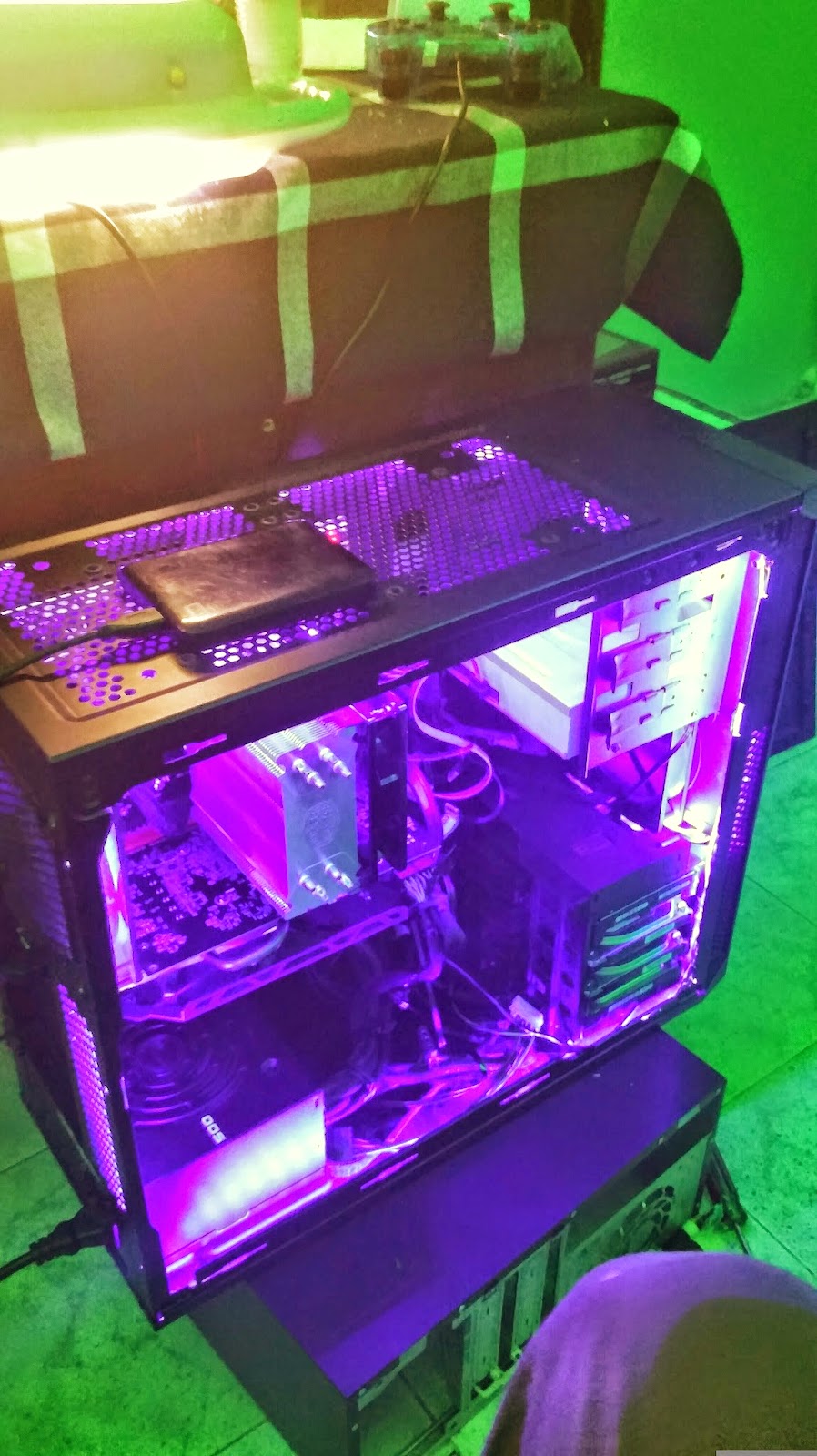
Intel core i7-4790 clock speed @ 3.6ghz turbo boost 4ghz 8M/LGA1150,Cooler Master Hyper 212 EVO Cooler. Processor Fan with Heatsink and Pipes and Aluminium Fins; Noise Level of 36 dB ThermalTake,Carbide Series 200, EVGA 500W PSU, Maximus VII ranger motherboard + Western Digital 2TB WD1003FZEX 7200RPM SATAIII Hard Drive, 2 Western Digital WD5003AZEX 500GB, HyperX Savage 16GB (2 x 8GB) 240-Pin DDR3 2400 (PC3 19200) Model HX324C11SRK2/16 Gigabyte radeon R9 270 Gaming graphics card with 2GB DDR5,DVD Writer


To contact the author of this post, write to mwiti.kevin@yahoo.com or find him on Facebook:www.facebook.com/kevin.kimz
Instagram: https://instagram.com/kevinkimz


Looking for a good Gaming Motherboard? Look no further than this!


Specifications
CPU SUPPORT:    4th and 5th Gen Intel Core i7/i5/i3/Pentium/Celeron processor family for the LGA 1150 Socket
POWER DESIGN:    CPU Power: 8 Phases
Memory Power: 2 Phase
CHIPSET:    Intel Z97
INTEGRATED GRAPHICS:    Dependant on installed CPU
MEMORY:    4 x DIMM, Max. 32 GB, DDR3 1333 to DDR3 3200+(OC)
BIOS:    Dual AMI UEFI BIOS with 2x 64 Mb Flash ROM
SLOTS:    3 x PCIe 3.0 x16 slot (x16 or x8/x8 or x8/x4/x4
3 x PCIe 2.0 x1 slot
HDD CONNECTVIITY:    6 x SATA 6.0 Gb/s
1 x M.2_SSD(NGFF)
1 x SATA Express
NETWORKING:    1 x Killer E2200 Series Gigabit LAN
PORTS:    8 x USB 3.0 ports (2 at front panel, 6 at rear panel)
6 x USB 2.0 ports (4 at front panel, 2 at rear panel)
1 x RJ45 LAN connectors
2 x HDMI port
1 x DVI port
1 x D-Sub port
1 x PS/2 port
5 x Audio jacks
1 x Optical audio port
AUDIO:    Realtek ALC1150 High Definition Audio CODEC
FAN HEADERS:    2 x 4-pin
4 x 3-pin
FORM FACTOR:    ATX Form Factor
EXCLUSIVE FEATURES:  

    ASRock Super Alloy:
    XXL Aluminum Alloy Heatsink
    Premium Alloy Choke (Reduces 70% core loss compared to iron powder choke)
    Dual-Stack MOSFET (DSM)
    NexFET MOSFET
    12K Platinum Caps (100% Japan made high quality conductive polymer capacitors)
    Sapphire Black PCB
    ASRock Gaming Armor:
    Hi-Density Power Connector
    15μ Gold Contact in DIMM Slots
    15μ Gold Contact in VGA PCIe Slot (PCIE2), PCIe Power Connector
    Qualcomm Atheros Killer LAN
    Purity Sound 2
    ASRock HDD Saver Technology
    Full Spike Protection
    ASRock Cloud
    APP Shop
    F-Stream
    Key Master
    Full HD UEFI 

The ASRock Fatal1ty Z97X Killer motherboard costs $157.99 (Kshs.16,000) at Newegg and $188.99 (Kshs.19,000) at Amazon

Grand Theft Auto 5 Has Shipped More Than 54 Million Copies


Getting on for two years old now, Grand Theft Auto 5 is still selling like gangbusters. Take-Two has announced the latest figures, revealing a staggering 54 million copies of Grand Theft Auto V have been shipped worldwide, making it the fourth best-selling game of all time.

54m units means it’s only trailing to the likes of Minecraft, Wii Sports and Tetris, but we wouldn’t mind betting that on revenue alone it’s usurped all three with ease. Two million copies alone have been sold in the last quarter, which Take-Two has put down to the hugely successful, if long in the waiting, PC port of GTA 5.

"Nearly two years after its record-shattering launch, Grand Theft Auto 5 continues to outperform expectations," said chairman and CEO Strauss Zelnick. "On April 14, Rockstar Games brought this groundbreaking title to PC with a number of enhancements, generating stellar reviews and strong digitally delivered sales.

"In addition, we benefited from ongoing demand for the console versions of Grand Theft Auto 5, particularly as the installed bases of PlayStation 4 and Xbox One expand."

Grand Theft Auto Online was cited as the single largest earner for Take-Two, so it seems plenty of people are snapping up those money pack microtransactions. 70% of internet-connected GTA 5 players have had a go at GTA Online, and the average number of users is actually up 40% year on year, so it’s got some serious legs.

Do you think the overwhelming success of Grand Theft Auto V means we can expect a VI soon? Or do you reckon Rockstar's working on another Red Dead game?

Keep Windows 10 preview up to date -- or face a dead PC

Testers running Windows 10's preview must keep the OS relatively up to date or face a bricked PC that won't boot.


The first three builds of Windows 10 Technical Preview -- 9841, 9860 and 9879, all released in 2014 -- will refuse to boot at the end of April, according to a message posted by a Microsoft support engineer on the company's discussion forum.
patch windows
Windows 10 gets its first set of security patches

Microsoft's Patch Tuesday for August contains critical patches for Windows, Internet Explorer and
Read Now

Personal computers running the three 2014 builds have been displaying warnings of the impending expiration for the last two weeks. Starting Wednesday, the PCs have been rebooting every three hours, another hint from Microsoft to update.

"Approximately 2 weeks after the license expires, the build will no longer boot at all," said a support engineer identified only as "RajithR" in a message dated April 10. That step is to start April 30.

The draconian measures have a purpose: They insure that testers and Microsoft do not waste time filing and reviewing bugs that have already been fixed. Apple didn't use such tactics when it publicly previewed OS X in 2014, but the Cupertino, Calif. company's beta had a much shorter lifespan than Microsoft's, which will have run almost a year by the time Windows 10 launches.

When Microsoft launched the Windows 10 preview last fall, it told potential testers that the first build would expire April 15, but pointed out that more would follow.

Which is exactly what it's done: So far this year, Microsoft has issued three additional builds -- 9926, 10041 and 10049 -- with the first appearing in January and the second and third in March. Build 10049, released on March 30, is the latest.

According to Microsoft's support engineer, 9926, 10041 and 10049 will stop booting on Oct. 15, with warnings set to begin popping up on screens Sept. 17 and the reboot-every-three-hours penalty starting Oct. 1. Future builds will probably carry those same dates.

Windows 10 will ship "this summer," Microsoft has said.

Because Microsoft will hand out Windows 10 free of charge to all consumer users and many smaller businesses running Windows 7 or Windows 8.1 -- the exception will be corporations running the Windows Enterprise edition -- there will be few barriers to testers who want to migrate to the finished OS.


RajithR said that it was likely there was a problem with Windows Update for those running builds 9841, 9860 and 9879 who have seen warnings and watched their PCs spontaneously reboot. He recommended that they download and install the disk image of the most recent preview. Those are in the .iso file format and available from Microsoft's site.

"If Windows has stopped booting due to an expired license ... you'll need to download the .iso file from another computer and then transfer the .iso file to installation media such as a USB flash drive or DVD. Then boot the PC from the installation media to install the latest build of Tech Preview," RajithR added, talking to people who won't be able to boot their Windows 10 PC on or after April 30 (emphasis added).

Installing a new version of Windows 10 with a disk image is akin to a "clean install," or one that wipes the existing OS and requires the user to reinstall applications and restore data from a backup.